# Admin Reports

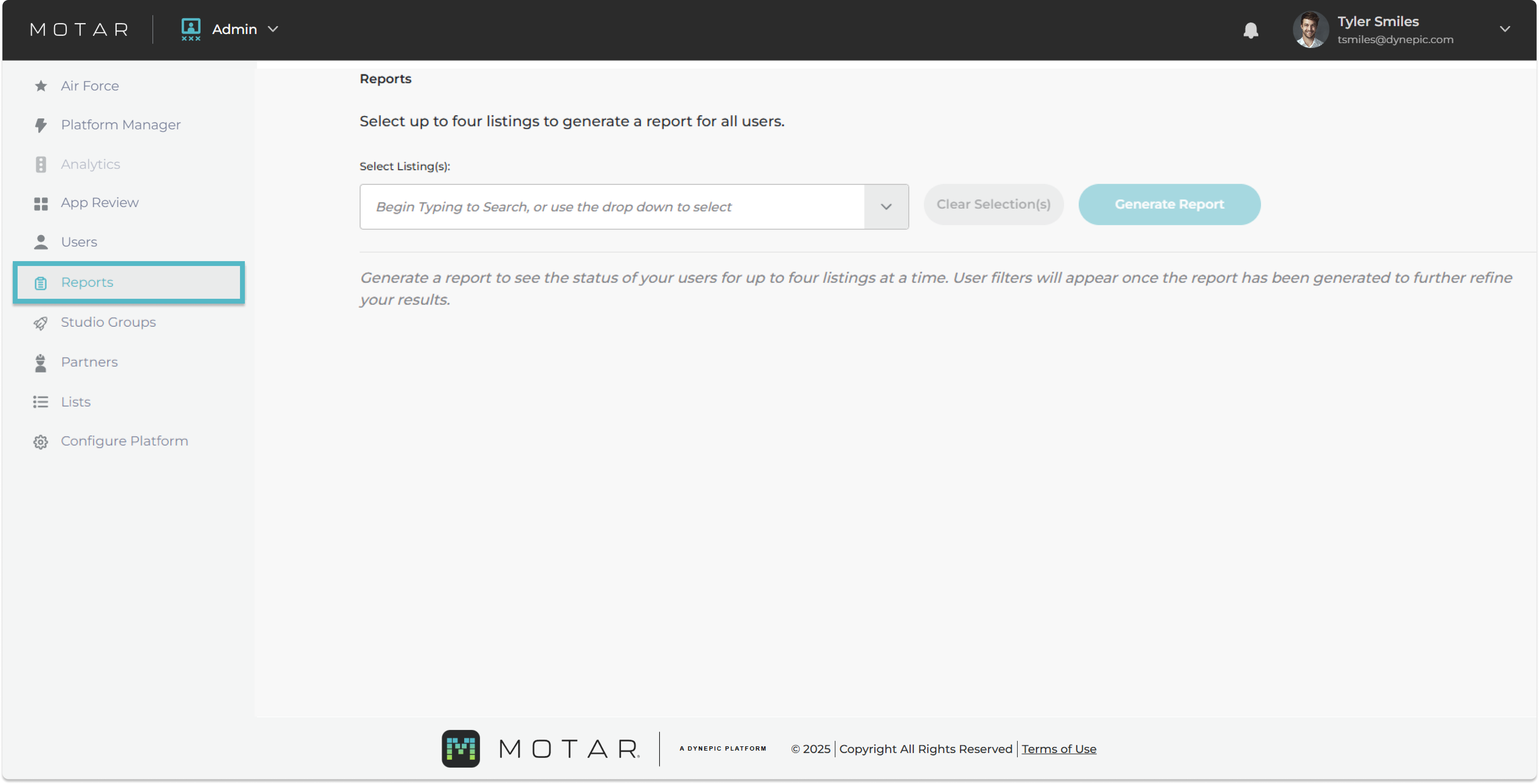
* In the left navigation panel under Admin, **click** on the Reports tab.

<figure><img src="https://540871446-files.gitbook.io/~/files/v0/b/gitbook-x-prod.appspot.com/o/spaces%2FVJV84grXWXSLppsAzVKx%2Fuploads%2F2qdTUNWNcoja6A0dyz5f%2Fimage.png?alt=media&#x26;token=3a689203-62f1-4feb-bbbf-e4cc1d992d15" alt=""><figcaption></figcaption></figure>

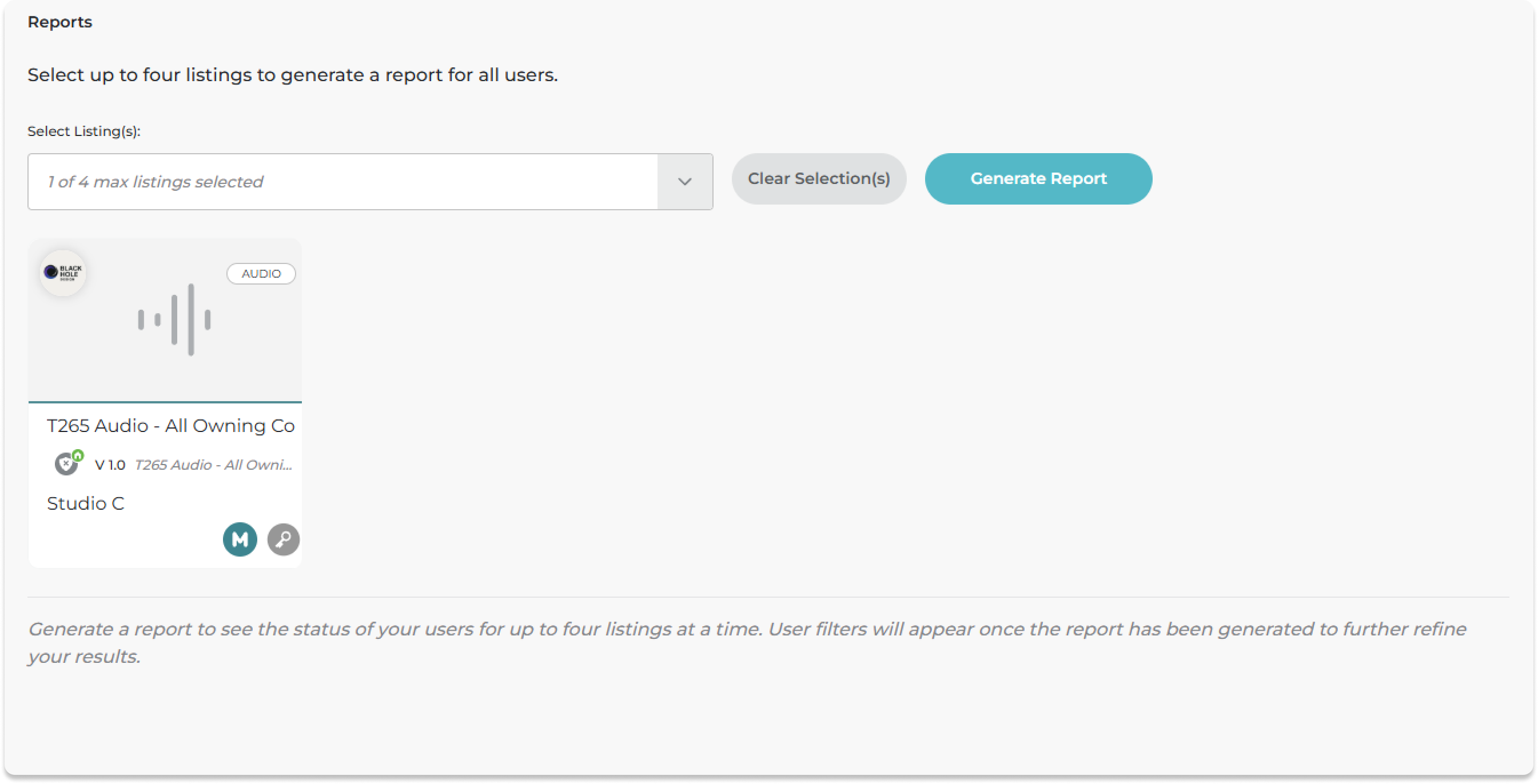
* **Search** or use the dropdown to select an asset
* **Click** Generate Report

<figure><img src="https://540871446-files.gitbook.io/~/files/v0/b/gitbook-x-prod.appspot.com/o/spaces%2FVJV84grXWXSLppsAzVKx%2Fuploads%2FlEWlgXfNXyziGl2xSfUx%2Fimage.png?alt=media&#x26;token=05e4a5f2-ed8e-4354-a722-47b035300b62" alt=""><figcaption></figcaption></figure>

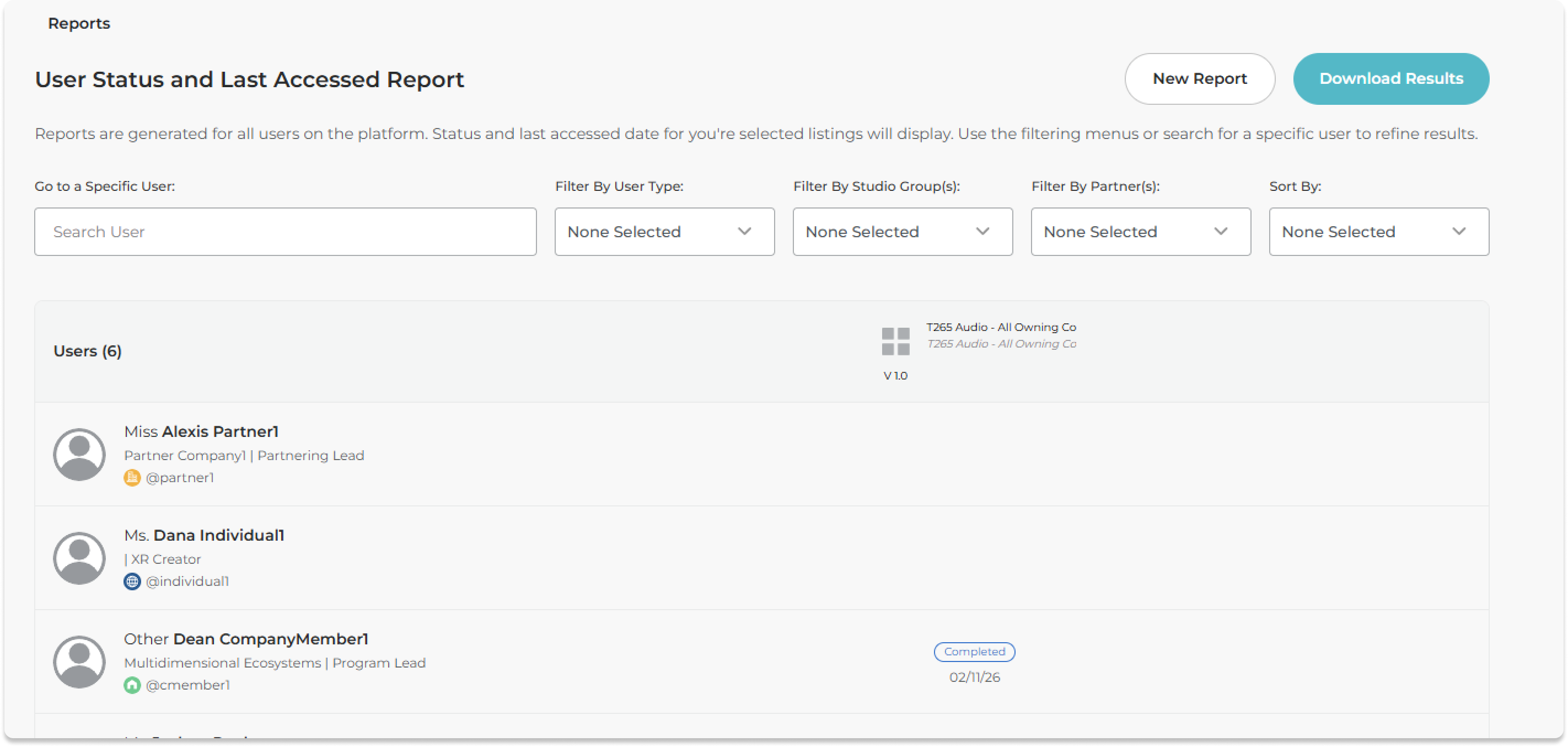
* Filter by users, studio groups, or partners (contractors)

<figure><img src="https://540871446-files.gitbook.io/~/files/v0/b/gitbook-x-prod.appspot.com/o/spaces%2FVJV84grXWXSLppsAzVKx%2Fuploads%2FirUqcBNmVhSQ1Zxx3Uxs%2Fimage.png?alt=media&#x26;token=8b4dad86-cdb0-4557-8f83-2710d14f4518" alt=""><figcaption></figcaption></figure>

* **Click** Download Results
* You report will generate and automatically download.