# How to Deactivate Studio Groups

**CLICK** the :pencil2: icon to Edit the **STUDIO GROUP** .

<figure><img src="https://540871446-files.gitbook.io/~/files/v0/b/gitbook-x-prod.appspot.com/o/spaces%2FVJV84grXWXSLppsAzVKx%2Fuploads%2FTN8iIqJtooWhuGAYhrPH%2Fimage.png?alt=media&#x26;token=c4832f79-4a3f-4a52-8669-881caf341988" alt=""><figcaption></figcaption></figure>

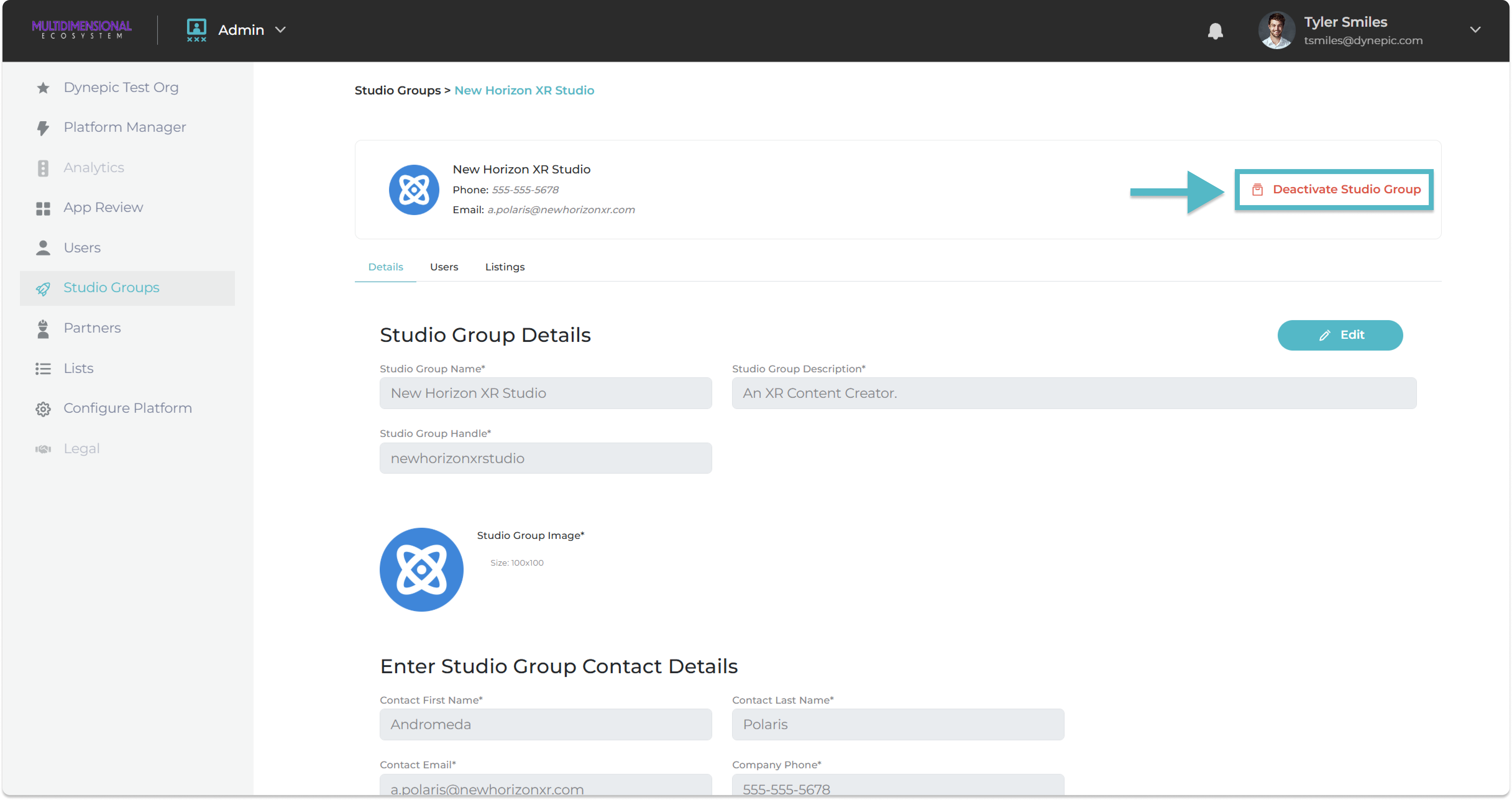
The Studio Group Details page will open.

**Click** on the '<mark style="color:red;">**Deactivate Studio Group**</mark>' link.

<figure><img src="https://540871446-files.gitbook.io/~/files/v0/b/gitbook-x-prod.appspot.com/o/spaces%2FVJV84grXWXSLppsAzVKx%2Fuploads%2Fgp0KQJQp25nrYkk9guz2%2Fimage.png?alt=media&#x26;token=534fd206-922b-41e0-b381-2dfce4356701" alt=""><figcaption></figcaption></figure>

The studio will now be **deactivated**.&#x20;

You will be **returned** to the Active Studio Groups page.&#x20;

All Deactivated Studio Groups are found in the '**Deactivated**' tab.