# Owning Company (Self Managed) | Commercial
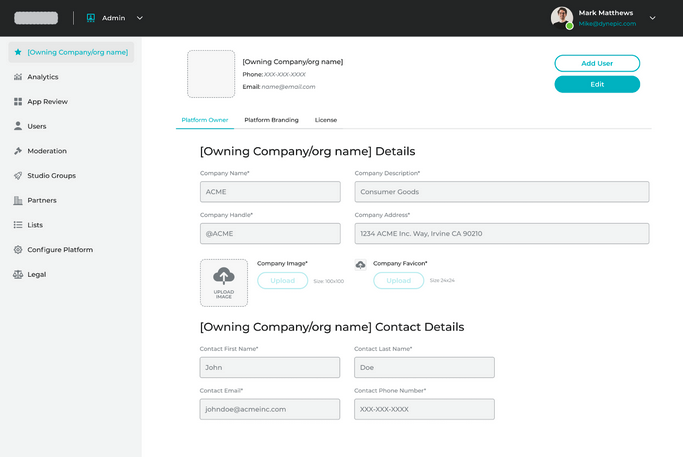
The Owning Company is the organization that purchased the MOTAR Ghost Instance. The Owning Company is established in the license file when a MOTAR License is procured. This information can be confirmed on the Owning Company page within the MOTAR Admin Service.
The Owning Company fields will be pre-filled from the MOTAR License file.
The fields on the owning company can be updated if necessary. Additionally, you will also upload your Company's Image and Favicon to the MOTAR Instance.
Complete the page details and then save.
MOTAR can be white-labeled with your company's branding on the Platform Branding tab. Here, you will set the:
* Contact Support Email
* Account Creation Support Email
* Platform Name
You will also set the Landing Page, Platform Brand, and Navigation Brand images for the platform. Use the Preview Image on the right-hand side of the page to see what the Landing Page will look like with the new Branding information.
MOTAR Instance Platform Branding
The License for your MOTAR Instance can be managed on the "License" tab. Use this tab to view your current license, or upload a new license.