# How to Manage Users | Government
**CLICK** on the **USERS** tab found on the left side of the admin application.
The **USERS** tab has multiple filter options to include:
{% tabs %}
{% tab title="Legal User Type" %}
* US Government
* Contractor-US Gov
* Foreign Gov
* Public
{% endtab %}
{% tab title="Filter By Role" %}
* Auditor
* Admin
* Creator
* No Role
{% endtab %}
{% tab title="Filter By Studio Group" %}
List will contain platform "Studio Groups"
{% endtab %}
{% tab title="Filter By Contractor " %}
List will contain platform "Contractor"
{% endtab %}
{% endtabs %}
## Active Users
The active users tab will display current "active" platform users. The table contains:\
\
**User Info**
* First / Last Name
* User handle
**Moderation Status**
The users current moderation status.
**Role(s)**
The users assigned roles within the platform.
**Account Type**
The users designated account type.
### Actions
The admin user can perform the following actions on users listed under the active tab:
* [Edit](#edit)
* [Moderate](#moderate)
* [View History](#view-history)
* [Deactivate](#deactivate)
#### Edit
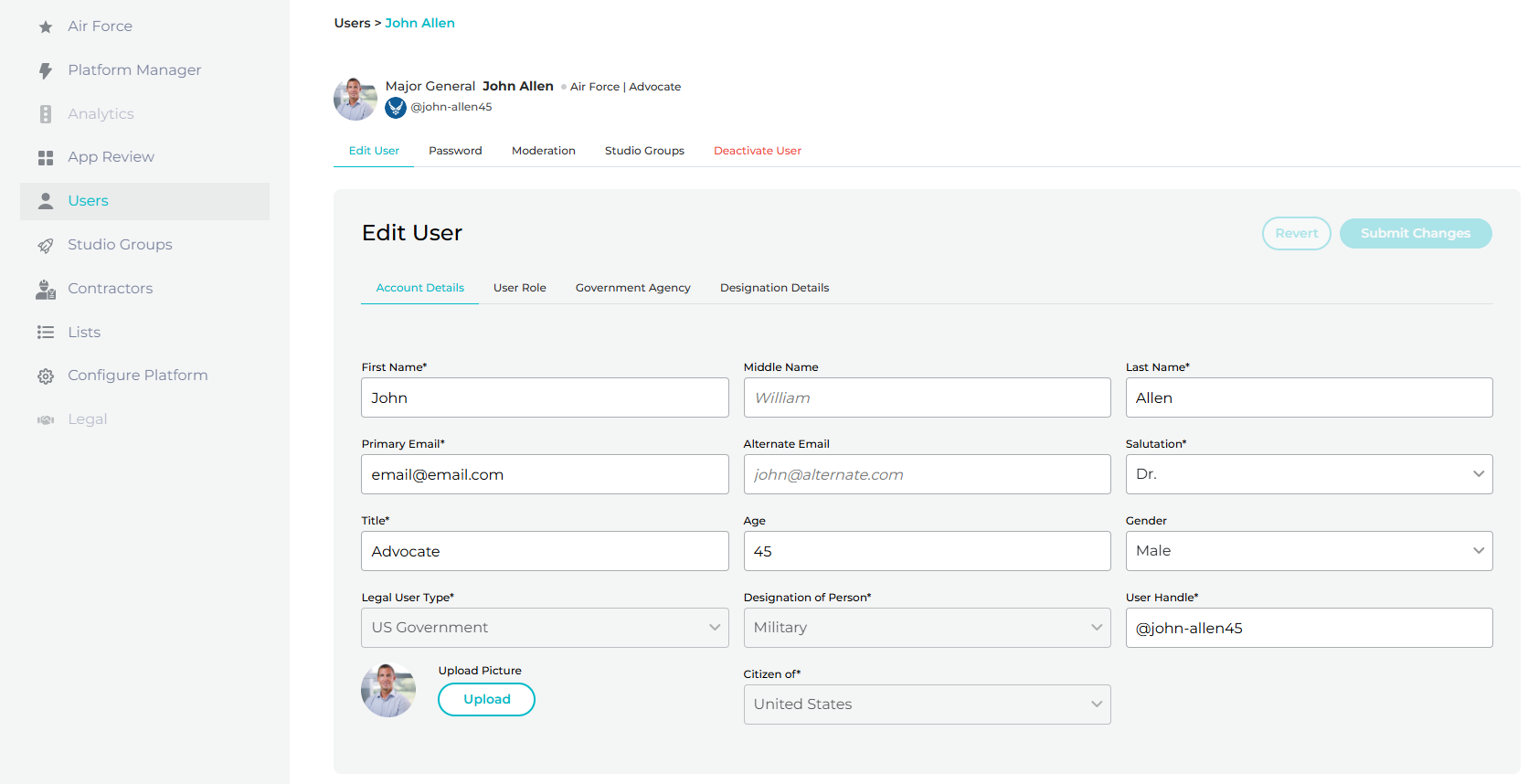
**CLICK** on the actions menu button. **SELECT** the edit pencil. The admin user will be redirected to the selected "edit view".
Edit Active Users
Here the admin can edit any of the fields shown in the image below.
After making a change you must **SELECT** the **SUBMIT CHANGES** button to save.
#### Moderate
Coming soon!
#### View History
Coming soon!
#### Deactivate
**CLICK** on the actions menu button. **SELECT** the **EDIT PENCIL** icon. The admin user will be redirected to the selected "edit view".
Edit Active Users
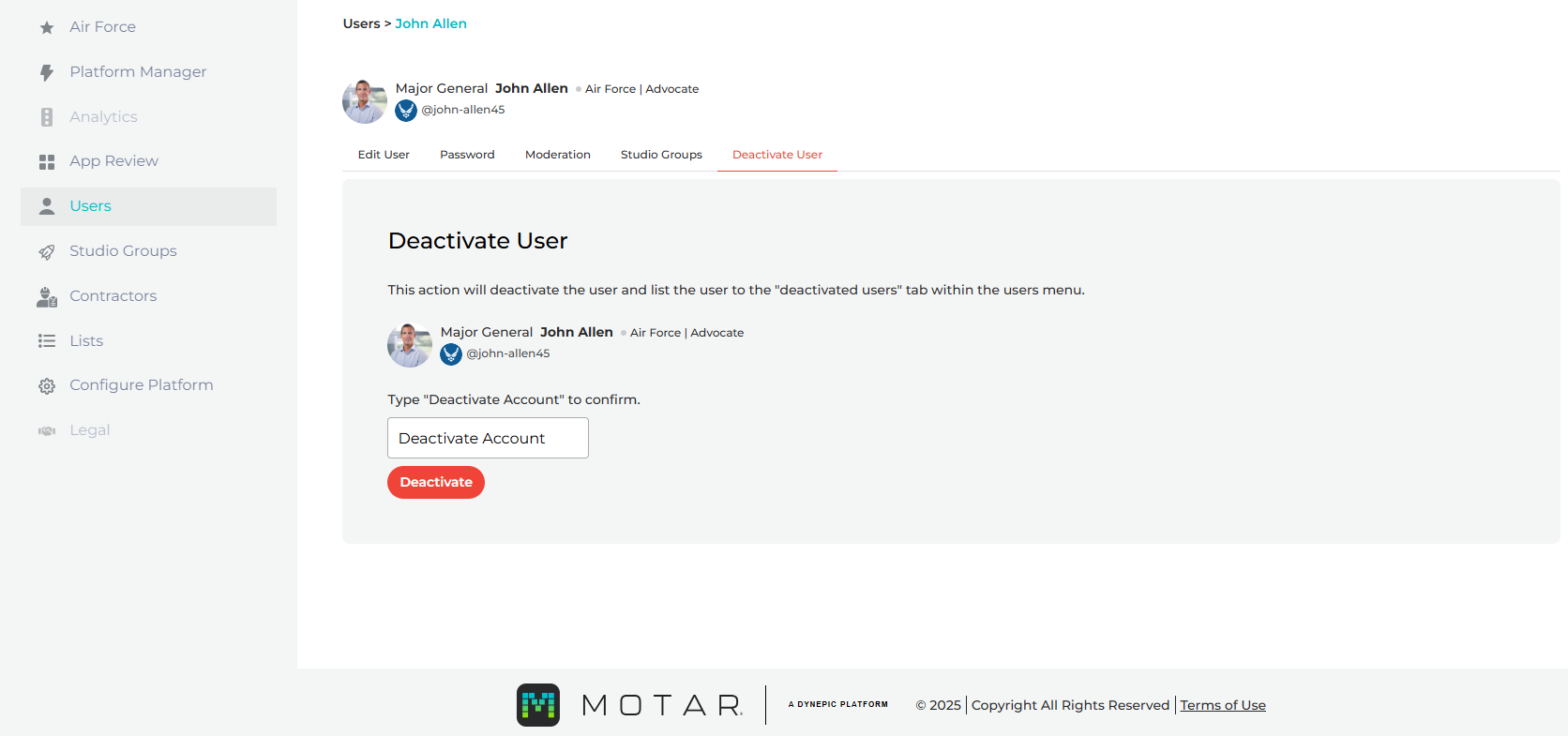
From the edit view tab, **CLICK** on the **DEACTIVE USER** tab. On this view the admin user can "deactivate" an "active" platform user. This action will deactivate the user and list the user to the "deactivated users" tab within the users menu.
**SELECT** the **DEACTIVED ACCOUNT** input field, **TYPE** "**Deactivate Account**" and **CLICK** "Deactivate"
## Deactivated Users
The deactivated users tab will display deactivated platform users. On this view the following is visible to the admin:
* User Info
* Deactivated "status chip"
* Activate User button
### Activate User
**SELECT** the **ACTIVE USER** button to "activate" the user again! This will move the user back to the "Active Users" tab.
After reactivation the user can login to the platform again.