> For the complete documentation index, see [llms.txt](https://docs.motar.com/llms.txt). Markdown versions of documentation pages are available by appending `.md` to page URLs; this page is available as [Markdown](https://docs.motar.com/motar-core-services/intro-to-core-services/admin/partners-or-contractors.md).
# Partners or Contractors
A guide on how to manage Partners\* in your Organization.
{% hint style="info" %}
\***Partners (commercial) or Contractors (government)** are determined by your license type and they function the same. The documentation below we will reflect the commercial partner side, however, understand, that if you have a government instance you will see contractors in lieu of partners.
{% endhint %}
**Click** on the "+ Partners\*" tab found on the left side of the admin application.
The *Partners***\*** tab supports filtering through search and will display current "active" partner\* accounts in a table that contains:
* Partner\* Information
* Name
* Phone
* Contact Email
* Needs Attention notification
* Partner\* Members
* Actions
* Edit
* Edit Partner\* details
* Deactivate Partner\*
* View user list
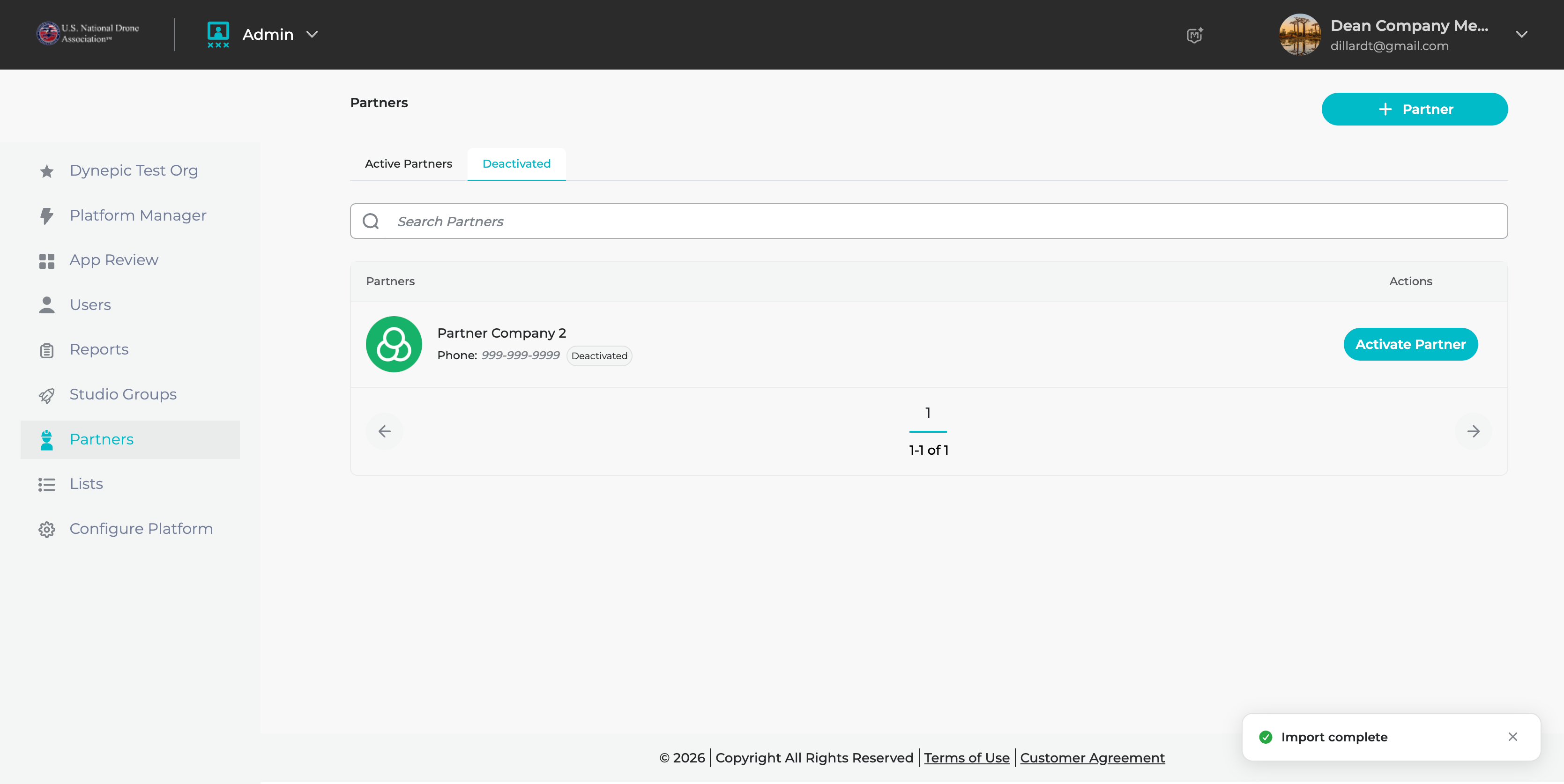
The *Deactivated* tab will display any deactivated Partners\*. On this view the following is visible to the admin:
* Name
* Partner\* Name
* Phone Number
* Deactivated Status Chip
* Actions
* Activate Partner\* button