> For the complete documentation index, see [llms.txt](https://docs.motar.com/llms.txt). Markdown versions of documentation pages are available by appending `.md` to page URLs; this page is available as [Markdown](https://docs.motar.com/motar-core-services/intro-to-core-services/admin/users.md).
# Users
**Click** on the "Users" tab found on the left side of the admin application.
The Users tab has multiple filter options to include:
{% tabs %}
{% tab title="Select User Type" %}
* Owning Company
* Partner or Contractor\*
* Individual
* Managing Company
{% endtab %}
{% tab title="Filter By Role" %}
* Auditor
* Admin
* Creator
* No Role
{% endtab %}
{% tab title="Filter By Studio Group" %}
List will contain platform "Studio Groups"
{% endtab %}
{% tab title="Filter By Partner or Contractor" %}
List will contain platform "Partners" or "Contractors"
{% endtab %}
{% endtabs %}
The active users tab will display current "active" platform users. The table contains:
### **Active Users Tab**
#### **Users**
* Name/Company/Handle
#### **Moderation Status**
* Coming soon
#### **Role(s)**
* **Standard** - This role will give the user access to the platform as defined by the license.
* **Admin** - The Admin role will give the user access to the admin features of the platform.
* **Auditor** - The auditor role will give the user access to discover, download, use and distribute on hub listings.
* **Studio Lead** - A Studio Lead is a memeber of of one or more studio groups in which they can access and manage all of that studio's listings regardless of their user type or permissions.
* **Creator** - Given to users when they are added to a studio group. This gives them access to the Studio service where they can create listings.
{% hint style="warning" %}
For Government users, some restrictions apply as to who can be assigned a role, see below:
{% endhint %}
| User Type | Standard Role | Admin Role | Auditor Role |
| ----------------- | ------------- | ---------- | ------------ |
| US Government | Required | Optional | Optional |
| Contractor-US Gov | Required | Optional | Optional |
| Foreign Gov | Required | N/A | N/A |
| Public | Required | N/A | N/A |
#### **User Types (commercial or government)**
{% hint style="info" %}
Your instance will have either commercial or government user types. See details for each below.
{% endhint %}
User types are determined by the platform license.
#### **GOVERNMENT - US Government User**
A US Government user is defined as a user who is directly employed by the U.S. Government. This user type includes members of the Armed Forces, DoD Civilian employees, and employees of Federal Agencies or organizations, such as the CIA, Department of Veterans Affairs, or NASA
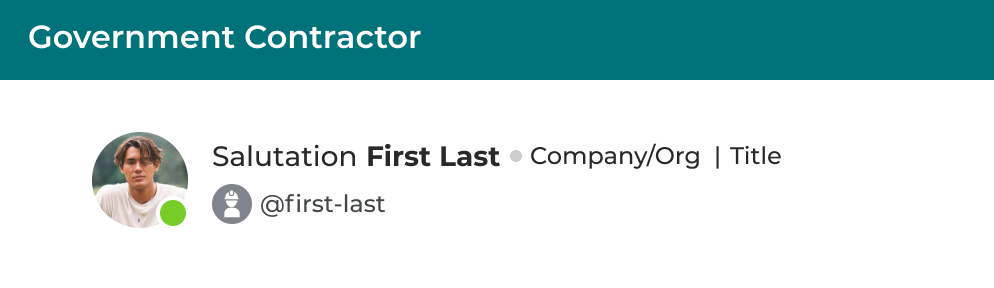
#### **GOVERNMENT -** US Government Contractor
The US Government user type is defined as a user who is employed by a third-party company (private, public, owned, or tribal owned) that is contracted or paid by the Federal Government, or an agency/department of the Federal Government, to provide goods or services.
#### **GOVERNMENT -** Foreign Government
There are two types:
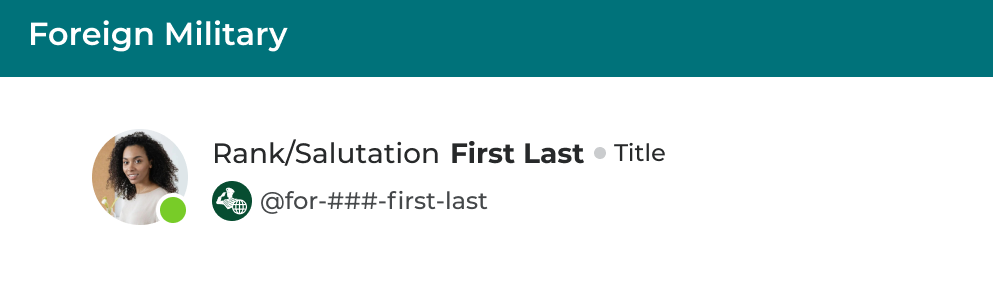
1. Foreign Military - A Foreign Military user refers to an individual who is a member of the armed forced of a country other than the United States.
2. Foreign Civilian - A Foreign Government Civilian is a user that is employed by a foreign government in a non-military and non-diplomatic role.
#### **GOVERNMENT -** Public
A Public User is a user who does not meet the criteria for any of the above user types. Public users can only interact with existing content, and not create or remix content.
#### COMMERCIAL - Owning Company Member
An Owning company member is an individual who works for the same company that owns the platform.
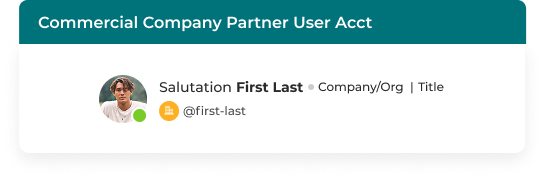
#### COMMERCIAL - Partner Company Member
A Partner company member is an individual who works for one of the partner companies on the platform.
#### COMMERCIAL - Managing Company Member
If your platform is managed by a third party you may have users that work for that particular company. You can differentiate them from any other partner company by designating them as members of the management company.
#### COMMERCIAL - Individual Member
Individual members are members that you can allow onto your platform but don't have any associateion with a company.
#### Actions
**Clicking** on the "edit pencil" in the actions column will take the admin to that users profile page where they can make changes.
***
####
#### Moderate